
Newsletter Subscribe
Enter your email address below and subscribe to our newsletter

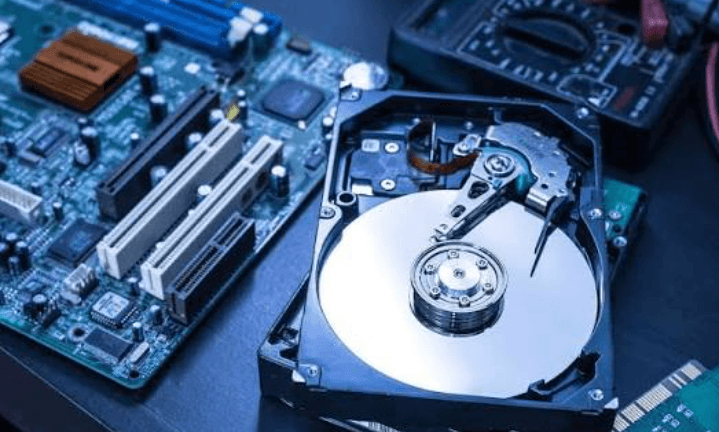
Data recovery is the process of restoring lost, deleted, corrupted, or inaccessible data from storage devices such as hard drives, solid-state drives (SSDs), USB flash drives, memory cards, and external storage devices. Whether data is lost due to accidental deletion, hardware failure, software corruption, malware, or formatting errors, data recovery techniques can help retrieve important files and restore access to valuable information.
As digital data becomes increasingly important for individuals and businesses, understanding data recovery methods and preventive measures is essential. This guide explains what data recovery is, how it works, its types, features, benefits, applications, challenges, and best practices for protecting your data.
Data recovery is the process of retrieving inaccessible, damaged, deleted, or lost data from digital storage devices. The goal is to recover files such as documents, photos, videos, emails, databases, and other important information after data loss occurs.
Depending on the cause of data loss, recovery may involve software tools, hardware repairs, backups, or specialized recovery services.
The recovery process begins by examining the affected storage device to determine the cause and extent of data loss.
Recovery software scans the file system to locate deleted or inaccessible files.
If file structures are damaged, recovery tools attempt to rebuild them using available storage information.
Recoverable files are copied to a safe storage location without overwriting the original device.
Recovered files are checked to ensure they are complete and usable.
Files may be unintentionally deleted by users.
Hard drives, SSDs, and other storage devices can fail due to age, wear, or physical damage.
Improper shutdowns, software errors, or storage issues can damage file systems.
Malicious software can delete, encrypt, or corrupt files.
Accidental formatting can make stored data inaccessible.
Unexpected power interruptions may cause file corruption or storage damage.
Recovers files that have been removed but not yet overwritten.
Restores lost or damaged disk partitions.
Retrieves data from damaged or malfunctioning RAID storage systems.
Recovers data from solid-state drives using appropriate recovery methods.
Restores data from internal and external hard disk drives.
Recovers data from smartphones and tablets when possible.
Recover deleted or inaccessible documents, photos, videos, and other files.
Many recovery tools support common file systems across different operating systems.
Advanced scanning methods search storage devices for recoverable data.
Some recovery software allows users to preview files before restoring them.
Many tools recover data without modifying the original storage device.
Users can restore only the files they need instead of recovering everything.
Helps recover valuable personal and business information.
Businesses can resume operations more quickly after data loss.
Recovery tools may restore files without recreating lost work.
Recovering essential data helps maintain productivity and operations.
Recovery methods increase the chances of retrieving irreplaceable files.
Recover documents, photos, videos, and other personal files.
Restore business records, databases, and operational documents.
Recover research data, assignments, and academic records.
Restore patient records and medical information when appropriate.
Recover deleted or corrupted photos from memory cards and storage devices.
Restore important documents required for business and legal purposes.
Severely damaged storage devices may require specialized recovery techniques.
Files that have been overwritten may not be recoverable.
Encrypted devices may require proper credentials before recovery is possible.
Modern storage technologies can make some recovery situations more complex.
Avoid saving new data to the storage device after data loss to reduce the risk of overwriting recoverable files.
Save recovered files to another storage device rather than the original one.
Keep frequent backups to reduce the impact of data loss.
Check storage devices regularly for signs of failure or performance issues.
Choose trusted recovery tools that support your storage device and file system.
For physically damaged storage devices or complex recovery cases, professional recovery services may be required.
Allows users to retrieve important files that might otherwise be permanently lost.
Helps organizations recover data after hardware failures, software issues, or other unexpected events.
Recovering business-critical data can reduce the costs associated with data loss.
Encourages better backup strategies and storage maintenance practices.
Data recovery is the process of restoring lost, deleted, corrupted, or inaccessible files from storage devices.
Not always. Recovery depends on factors such as whether the deleted data has been overwritten, the condition of the storage device, and the cause of data loss.
Data recovery can often be performed on hard drives, SSDs, USB flash drives, memory cards, external drives, smartphones, and other digital storage devices.
Stop using the affected device immediately, avoid writing new data to it, recover files to a different storage location, and maintain regular backups.
No. While data recovery can help restore lost files, regular backups remain the most reliable way to protect important data.
Data recovery is an essential process for restoring valuable information lost due to accidental deletion, hardware failure, software corruption, malware, or other unexpected events. Although recovery techniques and software can often retrieve important files, success depends on the cause of the data loss and the condition of the storage device. By following good backup practices, monitoring storage health, and acting quickly after data loss, individuals and organizations can reduce the risk of permanent data loss and better protect their digital information.

